Serverless SageMaker & Admin-in-the-Loop ML: Upgrading My Card Classifier with Antigravity
A few months ago, I built the Tarterware Playing-Card Classifier, a custom TensorFlow CNN trained to identify card suit and rank, exposed via a serverless API on AWS and wrapped in a React frontend. The initial build worked, but it had two classic problems:
- Cost: Running a dedicated SageMaker real-time endpoint (
ml.m5.large) 24/7 is a budget killer for an educational hobby project. - Model Drift & active learning: To improve a machine learning model, you need a feedback loop. When the model makes a mistake in the wild, you need an administrator-in-the-loop to flag the error, provide the correct label, and save it for future retraining.
I recently sat down to tackle both of these challenges. Instead of writing everything from scratch, I decided to pair-program with Antigravity, a developer-focused agentic AI assistant. Here is a breakdown of how we transformed this project into a cost-effective, self-improving system.
1. Slashing AWS Costs to $0/Day with SageMaker Serverless
The original Terraform setup defaulted to a standard real-time SageMaker endpoint. While great for latency-critical production workloads, it costs roughly $100/month just to keep the instance sitting idle.
Since my traffic is highly bursty (mostly me showing it off or testing edge cases), the obvious solution was SageMaker Serverless Inference.
With Antigravity’s help, we updated the Terraform configurations to dynamically toggle between serverless and real-time modes:
# terraform/variables.tf
variable "deploy_serverless" {
  type        = bool
  description = "Whether to deploy the SageMaker endpoint in Serverless mode (scales to zero, saving cost) or Real-time mode (instance-based)."
  default     = true
}
In main.tf, we configured the production variants to conditionally include the serverless_config block:
# terraform/main.tf
resource "aws_sagemaker_endpoint_configuration" "endpoint_config" {
  name = local.sagemaker_config_name

  production_variants {
    variant_name           = "AllTraffic"
    model_name             = aws_sagemaker_model.model.name
    instance_type          = var.deploy_serverless ? null : var.sagemaker_instance_type
    initial_instance_count = var.deploy_serverless ? null : 1

    dynamic "serverless_config" {
      for_each = var.deploy_serverless ? [1] : []
      content {
        max_concurrency   = var.serverless_max_concurrency
        memory_size_in_mb = var.serverless_memory_size
      }
    }
  }
}
By deploying with deploy_serverless = true, the endpoint automatically scales down to zero when idle. If a user uploads an image after a period of inactivity, there is a minor cold-start latency, but the ongoing idle cost drops to exactly $0/day.
2. Building the Admin-in-the-Loop Grading Queue
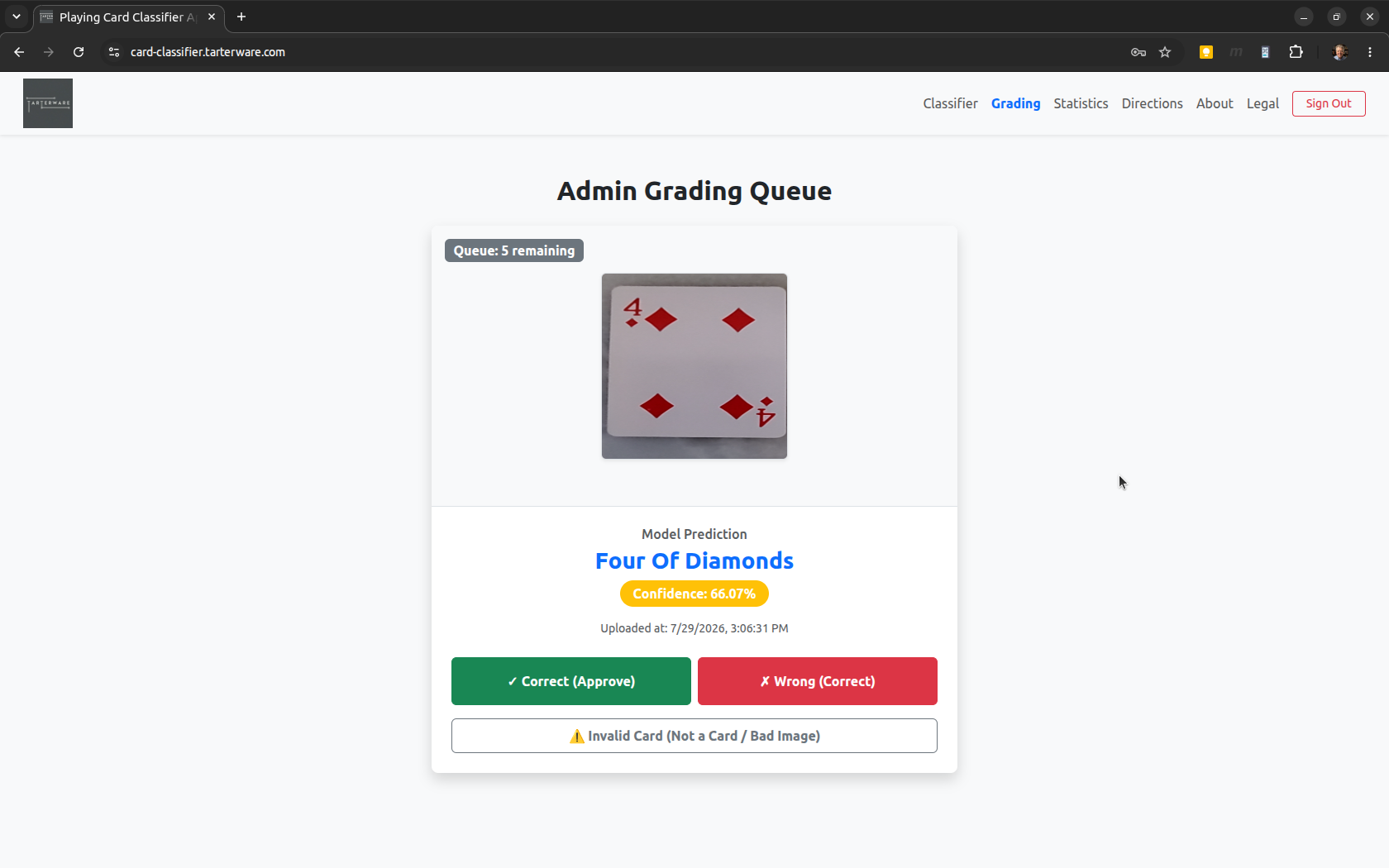
Active learning is only possible if you have a workflow to label real-world failures. The architecture now handles this end-to-end:
- Prediction Logging: Every time a user uploads an image, the Lambda backend processes it, invokes SageMaker, and saves the image (
image.png) and predictions (results.json) inside a unique session folder underraw_data/in S3. - The Grading Queue: We built a React admin interface that pulls unjudged images. The backend scans
raw_data/and filters out any session IDs that already exist in theresults/folder. - Submitting Judgments: The administrator reviews the card image and either approves the model’s guess or inputs the correct label from a sorted dropdown. This creates a structured JSON payload saved in
results/aws_request_id_{session_id}.jsoncontaining:predicted_label&confidenceactual_label(the human-submitted truth)is_correct(boolean)judged_at(timestamp)
# lambda/app.py
def handle_submit_grading(body, cors_headers):
    # Reads the admin correction, calculates correctness, and stores the
    # verified record in the results/ directory on S3 for future model training.
    ...
3. High-Performance Statistics & S3 Caching
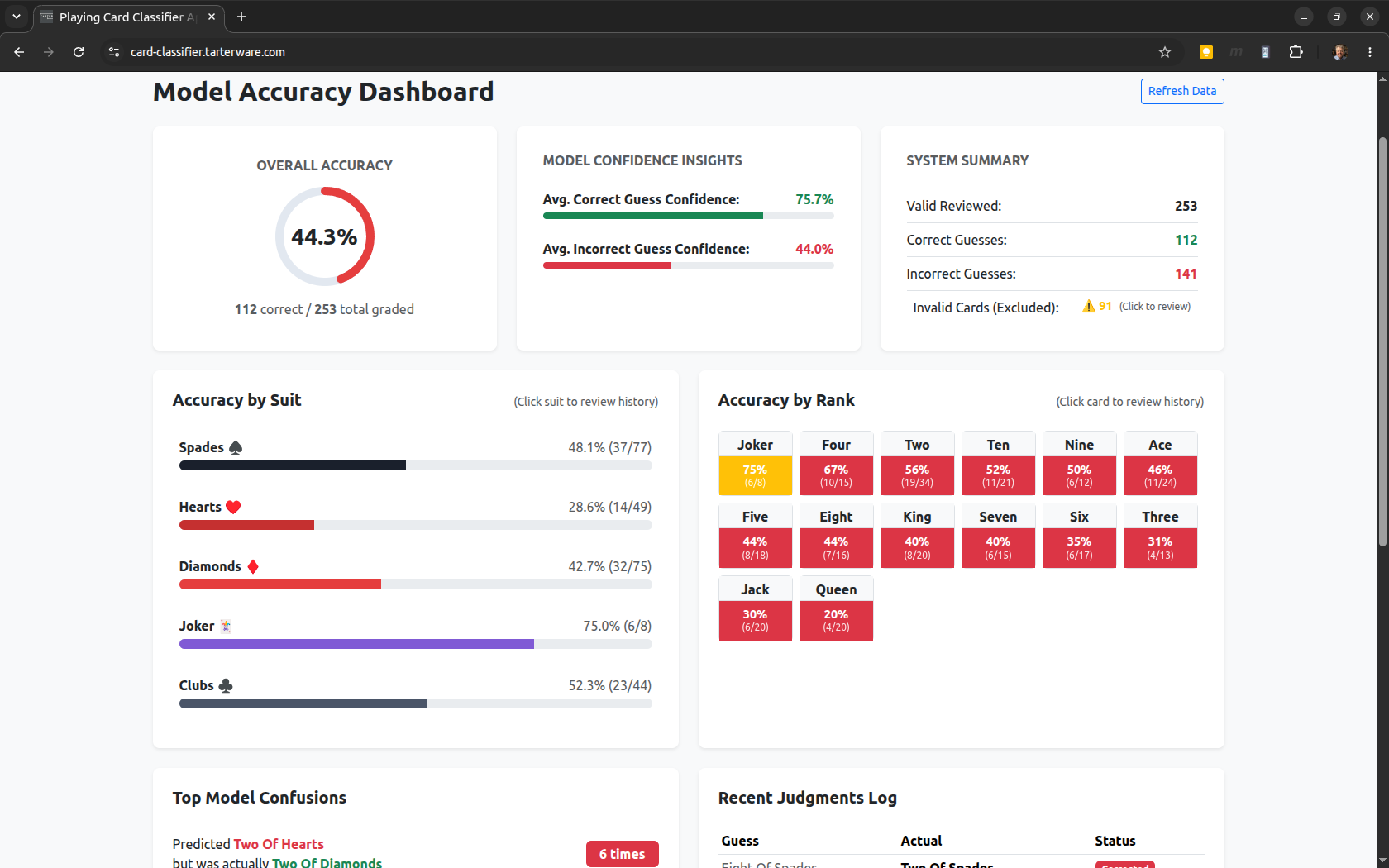
With verified data flowing into results/, we needed a way to visualize accuracy. We built a Statistics Dashboard that reports:
- Overall accuracy and total cards graded.
- Accuracy grouped by rank (Aces, Kings, etc.) and suit (Hearts, Spades, etc.) to show exactly where the model is confused (e.g., getting face cards mixed up).
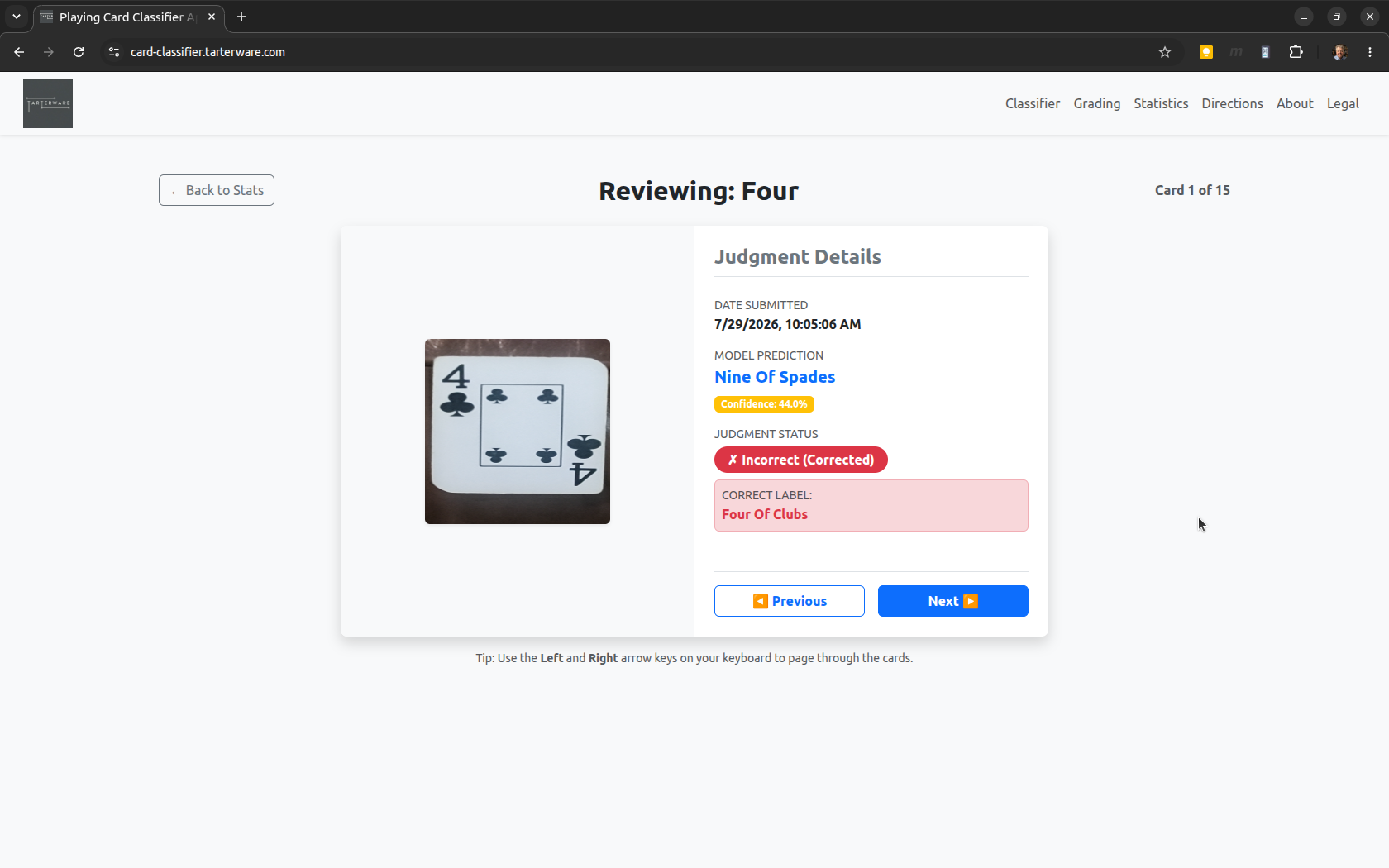
- A detailed drill-down review page showing the specific historical mistakes.
The Caching Optimization
Calculating these statistics on the fly requires scanning all S3 objects in results/. As the dataset grows, recursive S3 listings become slow and drive up AWS API costs.
To solve this, Antigravity implemented a smart caching layer. We now cache the aggregated stats in statistics/cache.json on S3. When a user loads the dashboard, the Lambda checks the metadata of the cached JSON against the contents of the results/ folder. If no new grading actions have occurred, it serves the cached stats instantly, avoiding costly recalculations.
4. Polishing the User Experience
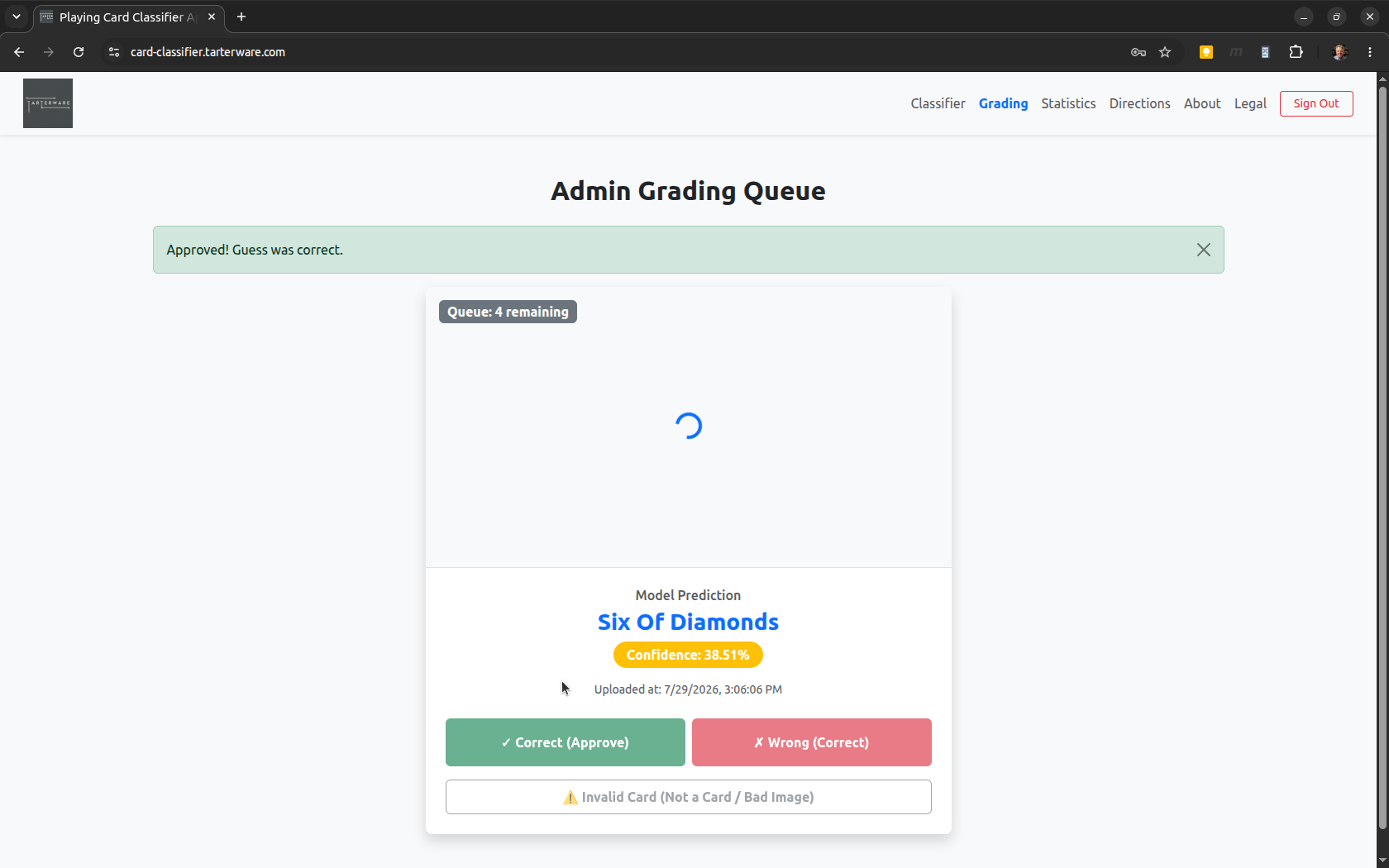
While testing the grading queue, we noticed a subtle but frustrating race condition. When clicking through the grading queue, the text fields (predicted label, confidence) updated instantly, but the S3 image took a fraction of a second to download. An admin moving quickly could easily grade the previous card image instead of the current one.
We solved this in the React frontend by introducing an image loading state:
// frontend/src/GradingDashboard.jsx
const [imageLoading, setImageLoading] = useState(true);

// Whenever the active card changes, reset the loading state
useEffect(() => {
  setImageLoading(true);
}, [activeCard?.image_url]);
We hid the image off-screen until loaded, displayed a centered spinner in its place, and disabled the “Correct” and “Submit Correction” buttons until the image’s onLoad handler fired. This simple UX guard prevents accidental incorrect grading due to latency.
Pair-Programming with Antigravity
Tackling this amount of work (updating React states, designing Lambda endpoints, optimizing S3 caching algorithms, and adjusting Terraform templates) usually takes about 16 to 24 hours of manual development. With Antigravity, we completed the entire implementation, optimization, and testing loop in just under 6 hours.
Pair-programming with Antigravity streamlined this process significantly. The AI assistant was able to search the monorepo, understand the interface boundaries between the React client and Python Lambda, write fully typed API changes, and verify the CloudFront distribution rules. It didn’t just write boilerplate; it actively suggested the S3 caching strategy to avoid high AWS API bills.
The result is a highly polished, cost-efficient, and active-learning-ready playing card classifier that costs virtually nothing to keep online.
The full codebase for the frontend and backend is available on GitHub at SteveTarter/playing-card-classifier.
Try the Playing Card Classifier yourself at https://card-classifier.tarterware.com/.